Scale for GramsScale for Grams
iPhone Camera to Scale

Weigh Anything. Just Point Your Camera.

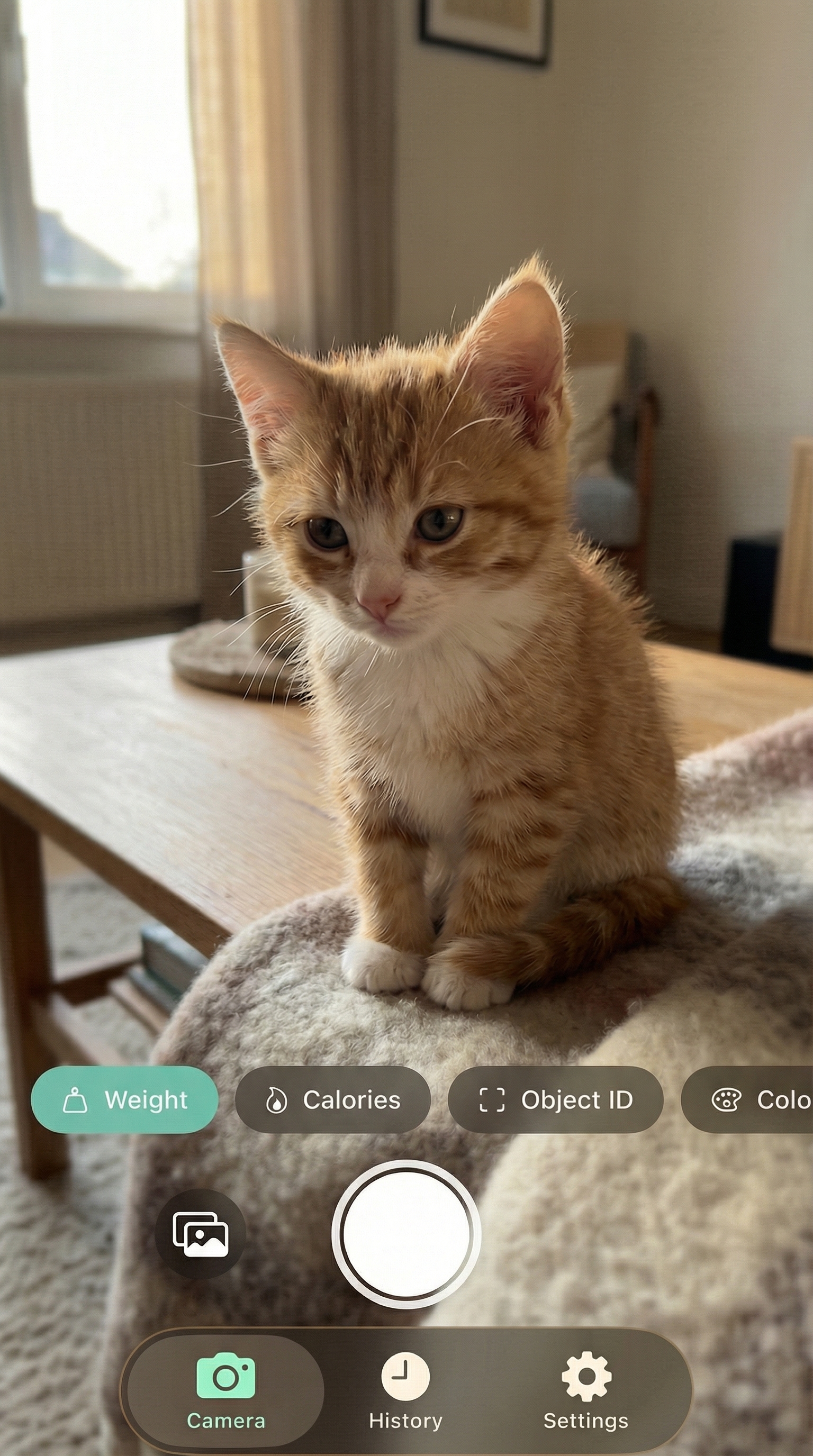
Scale for Grams turns your iPhone into a digital weight scale. Snap a photo, get a weight estimate in grams. Also works as a calorie counter, object identifier, and dimension scanner.

Download on the App Store
182g94%WeightCaloriesObject6.4 oz0.40 lbs0.18 kg
No Ads Ever
Your Data Stays on Your Phone
Transparent Estimates

No Kitchen Scale? No Problem.

You're prepping dinner and need to weigh chicken. Or you're curious how much that package weighs before shipping it. Maybe you want to track food portions for calories. But pulling out a kitchen scale every time is a hassle, and most people don't own one.

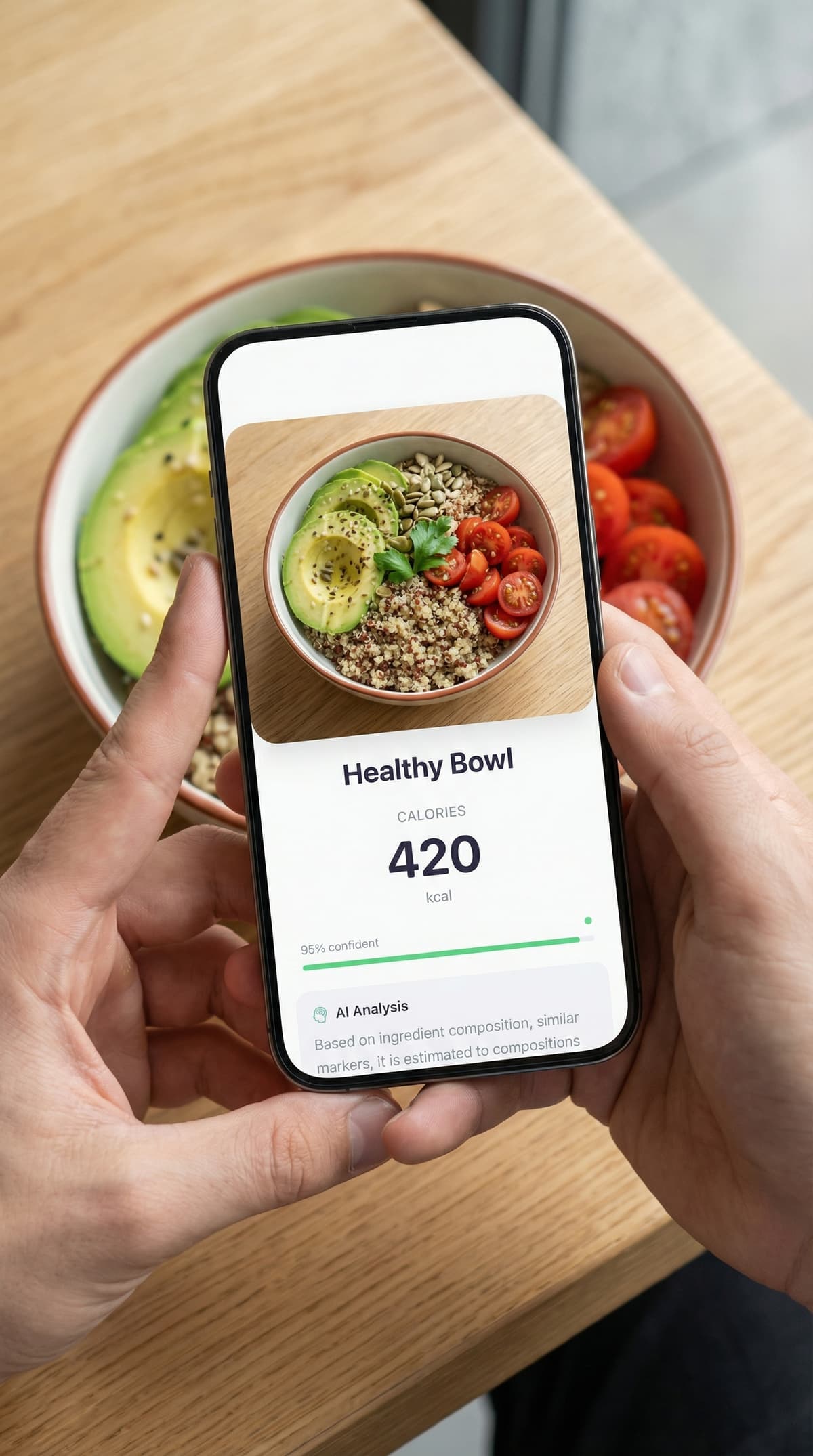
Scale for Grams uses computer vision to estimate weight from a single photo. Point your iPhone camera at any object, tap the shutter, and get a result in seconds. It's a food scale app, a calorie counter, and an object identifier, all in one.

Five Scan Modes, One App
182g94%WeightCaloriesObject6.4 oz0.40 lbs0.18 kg

Three Steps. That's It.

1

Point

Open the app and aim your camera at any object. Scanning brackets will detect and frame it automatically.

2

Snap

Tap the shutter. Your photo is analyzed instantly using computer vision. No manual input needed.

3

Read Your Result

Get a weight estimate with a confidence score, unit conversions, and nutrition data if it's food.

Simple Pricing

Start free. Upgrade when you need more scans.

Free

€0

Try it out, no commitment

  • 3 scans
  • All 5 scan modes
  • Full result details
  • No ads
Download Free

Scale Pro

€3.99/week

Flexible weekly billing

  • Unlimited scans
  • All 5 scan modes
  • Full result details
  • No ads
  • Cancel anytime
Start Weekly
Best Value

Scale Pro

€29.99/year

That's less than €0.60 per week

  • Unlimited scans
  • All 5 scan modes
  • Full result details
  • No ads
  • Cancel anytime
Get Started

Common Questions

Scale for Grams uses image analysis to estimate weight from a photo. Point your iPhone camera at an object, take a picture, and the app returns a weight estimate in grams, ounces, pounds, or kilograms. It works for food, household items, packages, and more.
No phone app replaces a certified kitchen scale, but Scale for Grams gives useful estimates using computer vision. It analyzes shape, size, and object type to generate a result with a confidence score. For meal prep and portion tracking, it's a practical option when you don't have a physical scale.
Scale for Grams uses image analysis, not your phone's sensors, to estimate weight. Every result includes a confidence percentage. The app only returns estimates above 80% confidence. For everyday tasks like cooking and portion control, accuracy is within a practical range. This is an estimation tool, not a precision instrument.
Scale for Grams combines weight estimation, calorie counting, object identification, item counting, and dimension scanning in a single app. It works from photos without calibration and includes a free tier with no ads.
Common items close to 100 grams include a medium apple, a deck of playing cards, a standard bar of soap, and two AA batteries. You can verify any household item's weight by pointing Scale for Grams at it.
Yes. Switch to Calorie mode, photograph your food, and the app returns a nutrition breakdown including calories, protein, carbs, fat, and fiber. It's faster than manually searching a food database.
Yes. Scale for Grams does not collect or store personal data. Photos are sent for analysis and immediately discarded. They are never stored on our servers. All scan history is saved locally on your device.
The app is free to download with 3 scans. For unlimited scans, you can upgrade to Scale Pro at €3.99 per week or €29.99 per year. The yearly plan includes a free trial.
Scale for Grams

Your Camera Is a Scale Now

Download Scale for Grams free on the App Store. No ads, no data collection.

Download on the App Store